| Top Back Forward Expand All Collapse All Print |
Matching Canvas |
|||
Matching Canvas |

|

|
Inspection > Voyage Reconciliation > Matching Canvas
The system has a drag-and-drop canvas where you can link parcels in the same voyage together. Only marine type parcels are included in the canvas. Sample, pipeline, and LNG parcels are excluded because voyage reconciliation is performed only for marine parcels.
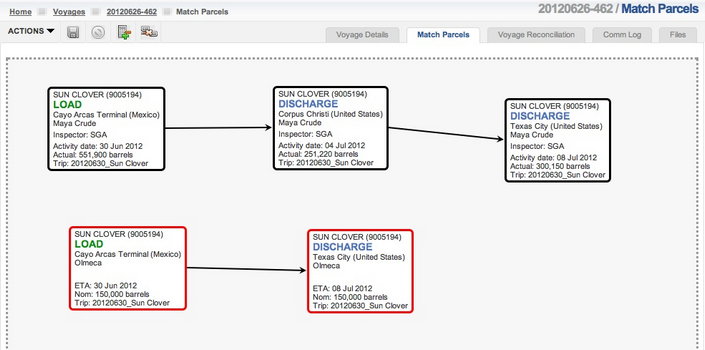
Each square in the canvas represents a marine parcel in the voyage and parcels with the same grade are drawn with the same border color. For each pair of parcels matched, one is referred to as the predecessor and the other as the successor. The direction of the line's arrow indicates that the cargo moved from the predecessor location and activity to the successor location and activity. The indicates the voyage parcels were automatically matched by the system.
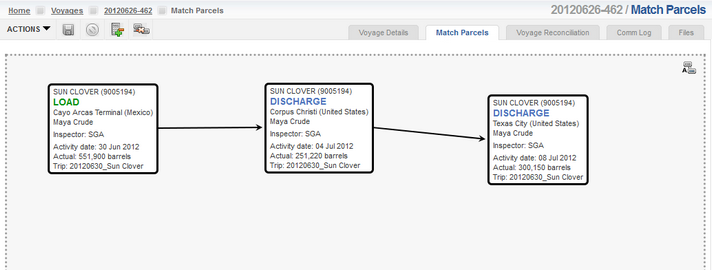
If there are more than one grade or product involved in the voyage, the parcels will be colored based on the grade. In order to reconcile losses or gains for each grade or product, match the parcels with the same grade, unless cargo blending was performed,.
| Navarik © 2016 All Rights Reserved |