| Top Back Forward Expand All Collapse All Print |
Voyage and Nomination Syncing |
|||
Voyage and Nomination Syncing |

|

|
| Top Back Forward Expand All Collapse All Print |
Voyage and Nomination Syncing |
|||
Voyage and Nomination Syncing |
|
|
Inspection > Voyages and Parcels > Syncing Voyages and Nominations
The voyage and nomination share parcel details such as trip number, grade, locations, ETA, and so on. Hence, when the details of a parcel are updated through a nomination revision, the system updates the voyage to reflect the changes made to the parcel.
The following examples illustrate how Navarik Inspection handles syncing the parcel details between a voyage and nomination.
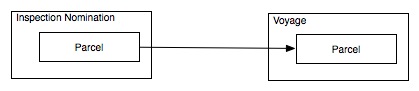
The system will create the nomination and the corresponding voyage. If it is a new trip number, a new voyage is created.
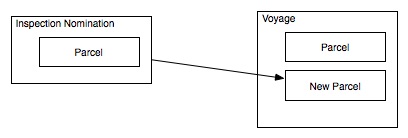
If the trip number exists in system and in only one voyage,new nominated parcels are added to the existing voyage.
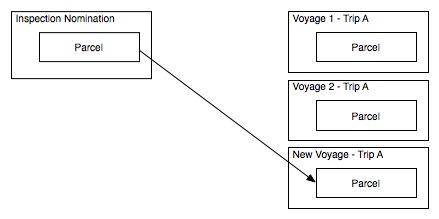
If the trip number exists in system and in multiple voyages, a new voyage is created.
|
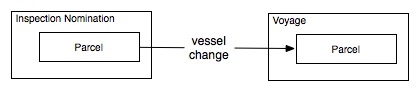
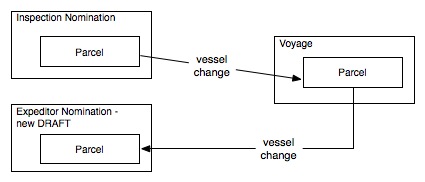
Say you revise the nomination and change the parcel’s vessel. Upon saving the nomination, the voyage gets updated to reflect the vessel change.
If there is more than one nomination associated with the voyage parcel, like in the case of a parcel having an inspection nomination and an expeditor nomination, the other nomination will be revised and a new draft version created.
Updating the trip number, region, business group, desk, or operator in the nomination will behave the same way as described above. If there are other voyages affected by the changes, those voyages will not be updated. |
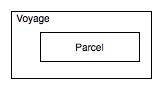
The system will create the voyage parcel. A nomination will not be created automatically. You must create the nomination for that parcel.
|
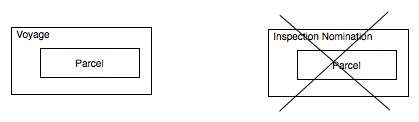
Once nominated, the parcel data cannot be changed through the voyage. You must revise the nomination in order to update the parcel information. |
The system will delete the nomination parcels but not the voyage parcels.You are taken to the Nominations list once the nomination has been deleted.
|
| Navarik © 2016 All Rights Reserved |